The smart feature of BroShield fail-safe is designed to look for all the remote snooping activities to prevent your PC from getting compromised.
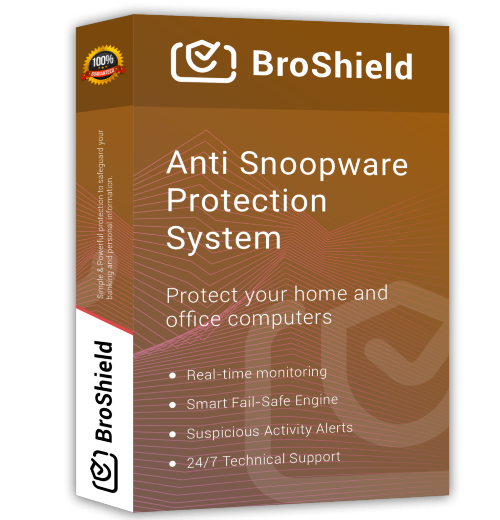
An easy-to-use, all-in-one solution that gives you professional-grade protection without the confusion.
BroShield runs 24/7 to look for viruses and threats and keep the computer in full monitoring, to block the potential threats.
The smart feature of BroShield fail-safe is designed to look for all the remote snooping activities to prevent your PC from getting compromised.
BroShield feature of Robotic troubleshooting helps you to get all your system problem fixed by the experts of support and help.
BroShield Suspicious Activity Alerts provides you with fast alerts after detection and blocking of a virus or threat.
Automatic Updates of BroShield is to give you nonstop service of anti-virus detention and blocking.
Technical support and the help of highly experienced teams are present 24/7 in all 365 days of a year, to provide you with help and guidance.
| Add-On Service | Price |
|---|---|
| Dark Web Monitoring | $249.99 / Account |
| (In-Scope/Out-Scope) Support | $249.99 / Device |
| Password Manager | $49.99 |
| Anti-Hacking Software | $49.99 |
| Banking Protection | $99.99 |
| I.P. Re-Configure | $99.99 |
| Firewall Configuration | $99.99 |
| Firewall Upgrade | $149.99 |
A Trojan virus is a type of malicious software that disguises itself as a legitimate or useful program to trick users into installing it. Once activated, it can open backdoors, steal sensitive information, damage files, or allow hackers to gain unauthorized access to your system. Unlike some viruses, Trojans do not replicate themselves but rely on user interaction, such as downloading infected files or clicking unsafe links.
Trojan viruses often enter computers through free software downloads, email attachments, or fake updates. To stay protected, it is important to use reliable antivirus software, keep your operating system updated, and avoid downloading files from untrusted sources. Being cautious online is the first line of defense against Trojan infections.
Spam emails are unsolicited messages sent in bulk, usually for advertising, phishing, or spreading malware. These emails often contain suspicious links, fake offers, or attachments designed to trick users into sharing personal information like passwords, credit card details, or banking data. Spam emails can also slow down your inbox and reduce productivity.
Most email services use spam filters to block unwanted messages, but some may still reach your inbox. To minimize spam, never click on unknown links, avoid replying to suspicious emails, and do not share your email address on unsecured websites. Marking spam emails correctly also helps improve your email provider’s filtering system.
Pop-ups on a computer are usually caused by adware, malicious browser extensions, or unsafe websites. These pop-ups can appear as constant ads, fake warnings, or download prompts, and they often interrupt your work or browsing experience. In some cases, they may even lead to malware infections if clicked.
To remove pop-ups, start by uninstalling suspicious programs and removing unknown browser extensions. Running a full system scan with updated antivirus or anti-malware software is highly recommended. Additionally, enabling pop-up blockers in your browser and keeping your system updated can help prevent pop-ups from appearing again in the future.
We’re Here to Help
Contact us today to get personalized guidance on the product features and bulk licensing plans from our knowledgeable sales team.
I’ve been using BroShield for a few months now, and I can honestly say it’s made a big difference in my online security. It caught spoofing attempts and suspicious activity that other software completely missed. The setup was simple, and I like how easy it is to navigate the dashboard. I feel much more confident handling my personal and work accounts online. Highly recommend it
I wasn’t sure what to expect at first, but BroShield has been great. It protects me from scams and spoofing attempts, and I can see exactly what’s being blocked. The interface is straightforward, and their support team is really helpful whenever I had questions. It’s nice to finally have a security tool that actually works without being complicated.
I deal with a lot of online accounts for work and personal use, and BroShield gives me peace of mind. The software is fast and doesn’t slow my computer down, which is a huge plus. I like the clear alerts and the easy-to-read dashboard. Since installing it, I’ve noticed fewer security warnings and a lot less stress about online threats. Definitely worth the investment.
BroShield is straightforward, reliable, and actually works. I’ve tried other security programs in the past, but this one caught threats I didn’t even know existed. I like how it shows you exactly what it’s protecting against, and it feels trustworthy. It’s reassuring to know my information is safe while browsing, shopping, and managing accounts online.
I was looking for a tool to protect me from online spoofing and scams, and BroShield exceeded my expectations. It’s easy to install, runs smoothly without slowing down my computer, and I get regular updates to stay ahead of threats. The customer support is friendly and responsive too. I feel much safer online now, and it’s one less thing to worry about in my day-to-day life
Unless someone is a malware expert, it is better to use a spyware removal tool for rooting out the internal problem of the PC. Broshield has the best spyware remover tool to detect any type of malware function and prevent any kind of future infections.
Broshield has numerous additional benefits that make it the best spyware remover for Windows 11, 10, 8.1. Some of the features like parental control, blocking of illegal sites, blocking harmful applications, accessing the internet control time and monitoring the activities on the internet makes it the best spyware remover for windows 10.
You can use a spyware detection and removal software and tool to scan for spyware. On Windows computers, looking at Task Manager will sometimes enable you to identify malicious programs. But most of the times they’re disguised as windows system files. Broshield is the best spyware cleaner which will detect the spywares (if any) in your PC and eliminate it at one go. Removing spyware manually isn’t easy as it will download itself over and over again and make your computer slow. Broshield eliminates these kind of spywares from your system so that your PC performs in its optimum state.
Spyware in windows10 can be removed by using various software but Broshield is one of the best spyware remover for Windows 11, 10, 8.1. It acts like an antivirus that keeps all the unwanted things away from your PC. It works 24/7 to remove the unwanted snoop wares from the PC to eliminate the chances of spyware and thus prevent the leak of personal information and details. The feature of regular scanning helps to find any sign of threats that may harm the PC or the user.
The Broshield Spyware removal tool analyses the threats and quickly actives to check if they are safe or not. The feature of regular scanning helps in removing spyware from the PC if they are found. The software monitors every activity of the computer and eliminates any kind of threats that may harm the PC. Broshield blocks the harmful categories of websites on the internet that may leak the user’s private information. It hinders the third-party attacks by the spyware at first instance.
BroShield and BroShield logo are trademarks or registered trademarks of BROSHIELD LLC. Or its subsidiaries in the United States and other countries. Other brands and names may be claimed as the property of others.
Download Now
Speed Up Your Computer
Enter Your Details
[mo_verify_phone]
We use cookies to improve your experience on our site. By using our site, you consent to cookies.
Manage your cookie preferences below:
Essential cookies enable basic functions and are necessary for the proper function of the website.