
Frequently Asked Question

BroShield is like antivirus software that has the best anti-spoofing features that work perfectly to keep your devices clean and secure from all the illegal and harmful online activities. This antivirus software acts as a protection shield for your device and keeps all the unwanted things out.

Restricting, detecting, and blocking all the activities that include all the online frauds or malware, spying, virus detection, leak of private information like card details, etc that may cause your device as well as your data harm.

The functioning of BroShield is simple as it is an antivirus. It is designed to identify, detect harmful viruses or sites and warn us about them at the same time.

When we go to the internet we are exposed to a lot of content and many contents can be harmful also so BroShield run in the background of the PC and keep on monitoring and analyzing the sites you visit and when ever you open any harmful site then it automatically sends us a notification and at the same time warn us from visiting that particular site. It restricts and protects our site from all unwanted files and viruses.

BroShield is designed in a way that it can save your data in many ways like-

  • BroShield analyzes the threats and quickly activates to check if the threats are safe to dig in or not.
  • BroShield will always ask you for confirmation when you enter your passwords and other details.
  • It blocks all the websites that have malware present in them.
  • BroShield’s parent control feature will give you full access to control the sites you want to restrict your kids from watching. This will keep them protected from all adultery.
  • BroShield scans your PC on a regular basis to help clean your PC from unwanted files and speed up the PC.
  • It keeps a check on saving your storage and provides a system free from the extra burden which automatically makes the PC run to its full potential.

The main thing that is different in BroShield is that it acts as an antivirus but in reality, it is an anti-snooping and anti-snooping software. That keeps an eye on illegal websites. That makes BroShield a protected wall between our devices and malware.

  • BroShield analyzes the threats and quickly activates to check if the threats are safe to dig in or not.
  • BroShield will always ask you for confirmation when you enter your passwords and other details.
  • It blocks all the websites that have malware present in them.
  • It restricts and protects our site from all unwanted files and viruses.
  • BroShield scans your PC on a regular basis to help clean your PC from unwanted files and speed up the PC.
  • It keeps a check on saving your storage and provides a system free from the extra burden which automatically makes the PC run to its full potential.

Well yes, you can use multiple devices or platforms to use your subscription, it totally depends on what type of product you have purchased. Keep a check on what you are purchasing that it is for single devices or multiple devices.If you purchased a subscription for one device you will get a license key which you need to install in your device here no other device can have access to your subscriptions. If you purchased multiple subscription packs then with the same activation key you can connect 3 or 4 devices without any issue.

Here are the System Requirement for BroShield –

  • Windows 11, 10, 8.1 and loT Edition (32 or 64-bit)
  • Build 4.11.1 or higher: macOS 10.15 and above
  • High-speed connection
  • Google Android smartphones and tablets 7 or higher.
  • Optimally standard screen resolution no less than 1024 x 768 pixels.
  • 1 GHz Processor
  • 2 GB RAM and 1.3 GB free drive space

Here are some easy steps to install BroShield –

  • Open M Account of BroShield.
  • Download the product according to your needs.
  • Open the BroShield software downloaded on your window screen.
  • Start the installation by accepting the terms and conditions and license agreement.
  • Enter your activation key given to you.
  • Follow the step shown on the screen until the installation is completed.
  • The installation process will be completed.

A subscription always comes with a license agreement. You can’t just transfer your subscription from one device to another device until and unless your license expires. When your subscription ends then you can download the BroShield on another device and activate your subscription on that device again with the same key.

Here are some simple steps to uninstall your BroShield –

  • Go to the control panel of your PC.
  • Click on the program option.
  • A list of the program will appear on Broshield.
  • Click on uninstall the application.
  • Confirm Yes.
  • Your BroShield is uninstalled.

Here are the steps for cancellation of your BroShield subscription –

  • Go to the official website of BroShield: broshield.us
  • Log in with your email id and password of your account.
  • On My Account open the Auto-Renewal setting option.
  • A window will open up. Turn off the auto-renewal setting.
  • Select yes for the cancellation.
  • Your subscription will turn off. It will not renew itself from the time you turn it off.

There are 3 ways by which you can contact BroShield –

  • On-Call Support

To get on a call with us simply dial - +1 (833) 296-7844 which is BroShield's official support number. After that our polite technician will listen to your concerns and will give you a piece of detailed information regarding the solution, our remote access via the internet will provide all solutions to your problems.

  • Chat Support:

If you are not able to avail of our call support you have another option to get in touch with us and that is our smart chat box. Just get into our chat box and message the required. Our technicians will respond to you in no time. If there is any kind of language barrier then also you can prefer a chat box and then allow us to resolve your issue.

  • Email Support: 

Apart from all these options you still have an option to contact us via e-mail – support@broshield.us. Just send a detailed explanation of the issue you are facing with your BroShield and we will get to you in the minimum possible time. A ticker will be generated so that you know that your concern has been heard by us.

Here are the Feature of BroShield –

  • Disk Cleanup
  • System Utilities
  • 30 days money-back guarantee.
  • At a reasonable price.
  • Provides additional 2 GB free space.
  • Storage Device Management Utilities
  • 24/7 security
  • Parents can implicate parental control on the computer
  • Block categories of websites like porn, gambling, insurance, taxation.
  • Block particular computer applications

Ans. BroShield only takes about 1 MB of RAM and 3% CPU power to work so you will experience no negligible drop in your computer's performance. This function will increase your PC performance.

BroShield guarantees 100% customer satisfaction. If, for some reason you are unhappy with BroShield product/service you can ask for a full refund directly by calling us or notifying us via email within 30 days of purchase receipt. We will issue a full refund, no questions asked from us.

 Here is the Parental Control feature of BroShield:

  • This feature of BroShield helps you to get full authority over the internet.
  • You can keep an eye on what kind of content your kid is exposed to.
  • Restriction of adult websites and harmful content is in your hand.
  • Allows you to control the internet access time.
BroShield — Anti Snoopware Protection System

Anti Snoopware Protection System

BroShield stops snoopware before it starts

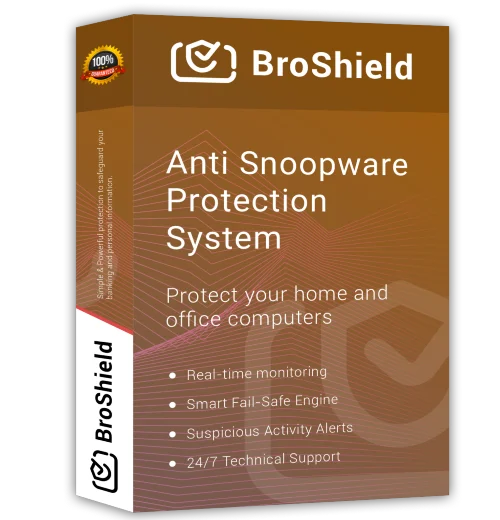
BroShield is an advanced anti snoopware protection system that shields your computer from spyware, snoopware, and harmful threats. With real-time detection and robust defence, it ensures privacy, secures data, and maintains smooth performance. Perfect protection—because customer security matters most.

BroShield Anti Snoopware Protection System box
BroShield

Your Online Safety Companion

An easy-to-use, all-in-one solution that gives you professional-grade protection without the confusion.

  • Real-Time Protection
  • Secure Connection
  • Firewall Defence
Learn More

Smart Protection for Every Device

0
Protected Devices
0
Protected Devices
0
Protected Devices

Features of BroShield

  • Safe Browsing – Detects unsafe websites, fraud links, and phishing attempts instantly.
  • Identity Guard – Prevents identity theft by protecting your personal details.
  • Peace of Mind – Runs silently in the background so you can focus on what matters.
Features of BroShield
Real-time protection powered by BroShield

Protect your home and office computers

Real time monitoring

BroShield runs 24/7 to look for viruses and threats and keep the computer in full monitoring, to block the potential threats.

Smart fail-safe Engine

The smart feature of BroShield fail-safe is designed to look for all the remote snooping activities to prevent your PC from getting compromised.

Robotic troubleshooting

BroShield feature of Robotic troubleshooting helps you to get all your system problems fixed by the experts of support and help.

Suspicious Activity Alerts

The BroShield Suspicious Activity Alerts provides you with fast alerts after detection and blocking of a virus or threat.

Automatic Updates

Automatic Updates of BroShield is to give you nonstop service of anti-virus detention and blocking.

24/7 Technical Support

Technical support and the help of highly experienced teams are present 24/7 in all 365 days of a year, to provide you with help and guidance.

Protection Plans

One Time Fix

Duration: 30 Days
Devices Covered: 1 Device
$49.95+
  • Anti-Hacking Software
  • Antivirus
  • Firewall Configuration
  • IP Reconfigure
  • Banking Protection
  • Clean Up / Tune Up
  • Virus Removals
  • Monthly Maintenance
  • 24/7 Support
Call Now

Silver

Duration: 1 Year
Devices Covered: 1 Device
$99.99+
  • BroShield (Anti-Hacking Software)
  • Antivirus
  • Firewall Configuration
  • IP Reconfigure
  • Banking Protection
  • Clean Up / Tune Up
  • Virus Removals
  • Monthly Maintenance
  • 24/7 Support
Call Now

Platinum

Duration: 3 Years
Devices Covered: 1-2 Devices
$199.99+
  • BroShield (Anti-Hacking Software)
  • Antivirus
  • Firewall Upgrade
  • IP Reconfigure
  • Banking Protection
  • Clean Up / Tune Up
  • Virus Removals
  • Monthly Maintenance
  • 24/7 Support
Call Now
Add-On Service Price
Dark Web Monitoring$249.99 / Account
(In-Scope/Out-Scope) Support$249.99 / Device
Password Manager$49.99
Anti-Hacking Software$49.99
Banking Protection$99.99
I.P. Re-Configure$99.99
Firewall Configuration$99.99
Firewall Upgrade$149.99

Trojan Virus

A Trojan virus is a type of malicious software that disguises itself as a legitimate or useful program to trick users into installing it. Once activated, it can open backdoors, steal sensitive information, damage files, or allow hackers to gain unauthorized access to your system. Unlike some viruses, Trojans do not replicate themselves but rely on user interaction, such as downloading infected files or clicking unsafe links.

Trojan viruses often enter computers through free software downloads, email attachments, or fake updates. To stay protected, it is important to use reliable antivirus software, keep your operating system updated, and avoid downloading files from untrusted sources. Being cautious online is the first line of defence against Trojan infections.

Trojan Virus detected on laptop

Spam Emails

Spam emails are unsolicited messages sent in bulk, usually for advertising, phishing, or spreading malware. These emails often contain suspicious links, fake offers, or attachments designed to trick users into sharing personal information like passwords, credit card details, or banking data. Spam emails can also slow down your inbox and reduce productivity.

Most email services use spam filters to block unwanted messages, but some may still reach your inbox. To minimize spam, never click on unknown links, avoid replying to suspicious emails, and do not share your email address on unsecured websites. Marking spam emails correctly also helps improve your email provider’s filtering system.

Spam emails illustration

Remove Pop-Up on Computer

Pop-ups on a computer are usually caused by adware, malicious browser extensions, or unsafe websites. These pop-ups can appear as constant ads, fake warnings, or download prompts, and they often interrupt your work or browsing experience. In some cases, they may even lead to malware infections if clicked.

To remove pop-ups, start by uninstalling suspicious programs and removing unknown browser extensions. Running a full system scan with updated antivirus or anti-malware software is highly recommended. Additionally, enabling pop-up blockers in your browser and keeping your system updated can help prevent pop-ups from appearing again in the future.

Remove pop-up warning on screen

Have Questions About Our Product?

We’re Here to Help

Contact us today to get personalized guidance on the product features and bulk licensing plans from our knowledgeable sales team.

Antivirus shield icon

Client Testimonials

Client testimonial 1
Client testimonial 2
Client testimonial 3
Client testimonial 4
Client testimonial 5

Question And Answer

Are there any best spyware removal methods to remove them manually?

Unless someone is a malware expert, it is better to use a spyware removal tool for rooting out the internal problem of the PC. Broshield has the best spyware remover tool to detect any type of malware function and prevent any kind of future infections.

What are some additional benefits of broshield best spyware remover for windows 10?

Broshield has numerous additional benefits that make it the best spyware remover for Windows 11, 10, 8.1. Some of the features like parental control, blocking of illegal sites, blocking harmful applications, accessing the internet control time and monitoring the activities on the internet makes it the best spyware remover for windows 10.

Are there any effective ways to use the best spyware cleaner so that it performs in its optimum state?

You can use a spyware detection and removal software and tool to scan for spyware. On Windows computers, looking at Task Manager will sometimes enable you to identify malicious programs. But most of the times they’re disguised as windows system files. Broshield is the best spyware cleaner which will detect the spywares (if any) in your PC and eliminate it at one go. Removing spyware manually isn’t easy as it will download itself over and over again and make your computer slow. Broshield eliminates these kind of spywares from your system so that your PC performs in its optimum state.

How do I remove spyware from Windows 10?

Spyware in windows10 can be removed by using various software but Broshield is one of the best spyware remover for Windows 11, 10, 8.1. It acts like an antivirus that keeps all the unwanted things away from your PC. It works 24/7 to remove the unwanted snoop wares from the PC to eliminate the chances of spyware and thus prevent the leak of personal information and details. The feature of regular scanning helps to find any sign of threats that may harm the PC or the user.

How does the Broshield spyware removal tool help in removing spyware from PCs?

The Broshield Spyware removal tool analyses the threats and quickly actives to check if they are safe or not. The feature of regular scanning helps in removing spyware from the PC if they are found. The software monitors every activity of the computer and eliminates any kind of threats that may harm the PC. Broshield blocks the harmful categories of websites on the internet that may leak the user’s private information. It hinders the third-party attacks by the spyware at first instance.